
A film is a chain of short clips, and in our control run the video model draws each clip from its own words. When three shots in a row are set in the same kitchen with the same two people, nothing carries the room from one clip to the next, so the room and the clothes are written out again in every shot’s words and drawn again each time. A pack for MiniMax H3, called H3 Continuity Studio, gives the model a visual memory of earlier shots instead. On 15 November 2026 we drew one kitchen scene both ways on a single RTX 5090 and counted what the memory costs. A clip drawn alone took 29.3 seconds. A clip drawn with the memory took between 38.5 and 151.7 seconds, depending on the option. We did not judge the pictures. The admin, who makes the creative calls at Optra, did, and the admin’s words are below, next to the shots.
What we tested
The pack has four memory modes: off, scene, selected and cast. We used selected. For every shot after the first, the model was pointed at two moments of shot 1 (frames 17 and 68 of 90), each labelled in words: the first as the whole kitchen in a wide view, the second as the two people in full view. A second setting, new scene, changes how the model reads that shot’s own description. As we read the pack’s code, true tells the model that the description defines how the shot looks and where the camera stands, and false tells it to keep the people, clothing and layout of the earlier shots.
Everything else was held the same: the same board of shots with the same seeds, each clip 90 frames at 24 frames a second (3.75 seconds), 768 by 448 pixels, drawn on the same 32 GB card by the same pack at the same commit.
The scene
One old flat’s kitchen in soft morning light. The room is written out the same way in every shot: a green curtain at the window on the left wall, a round blue wall clock above the door on the right wall, a wooden table in the centre with a steel teapot and two white cups, and a steel pot on the stove against the back wall. Two people: a woman of about 35 in a yellow kurta with a red dupatta over one shoulder, and a boy of 8 in a white school shirt and a navy pinafore short, with a red school bag. Nobody speaks.
| Shot | What the shot's words ask for |
|---|---|
| 1 | A wide shot from the window side, looking across the room. The woman stirs the pot at the stove; the boy sits at the table. |
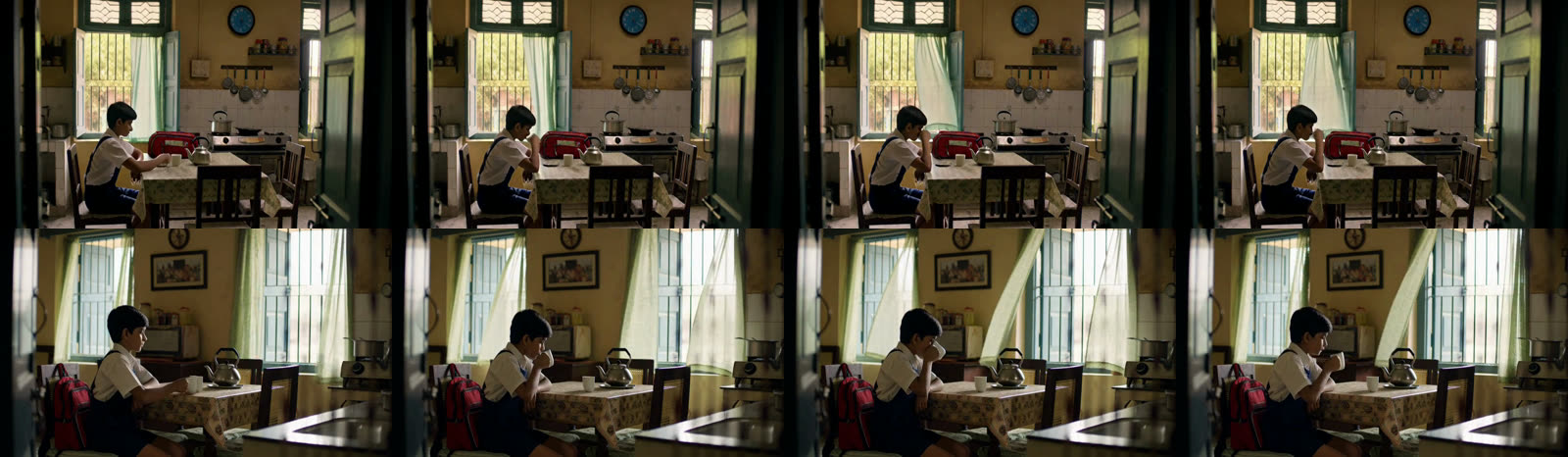
| 2 | A close shot of the boy at the table, seen from the door side, drinking from a white cup; the curtain moves in the breeze. |
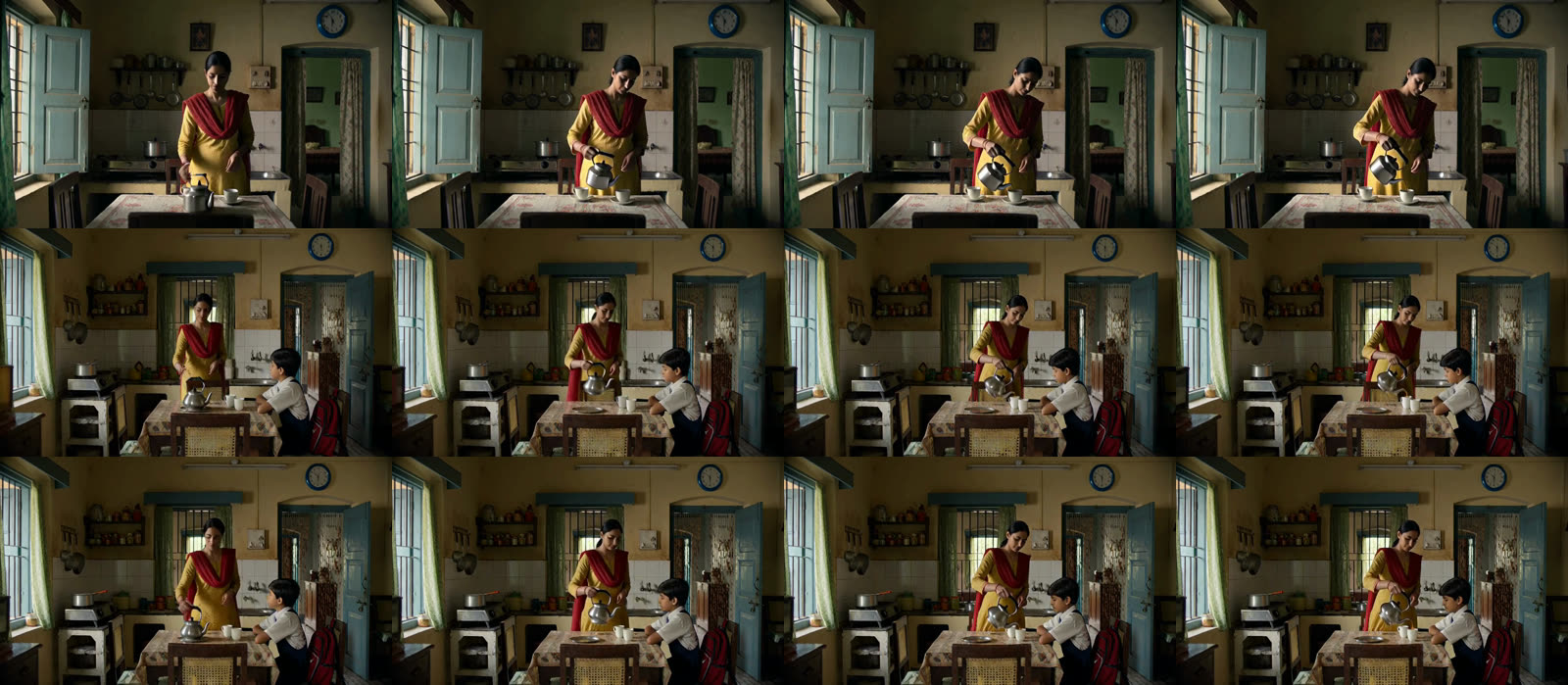
| 3 | A medium shot from the window side of the woman at the table pouring tea from the steel teapot into the second white cup. |
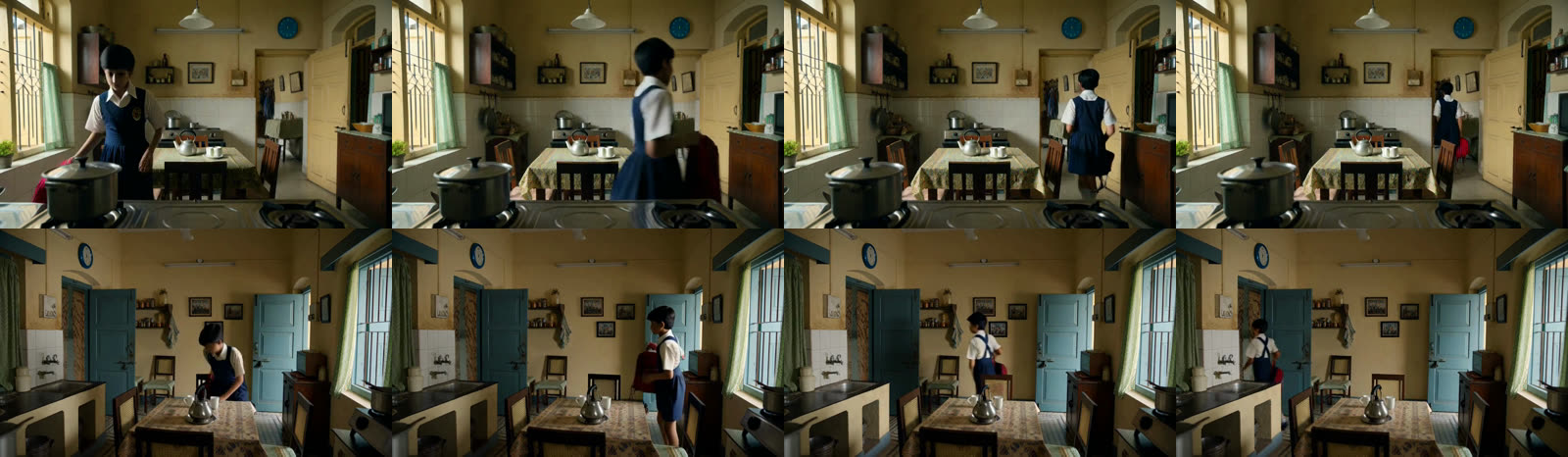
| 4 | A wide shot from the stove side, looking toward the front of the room; the boy takes his bag from the chair and walks to the door under the clock. |
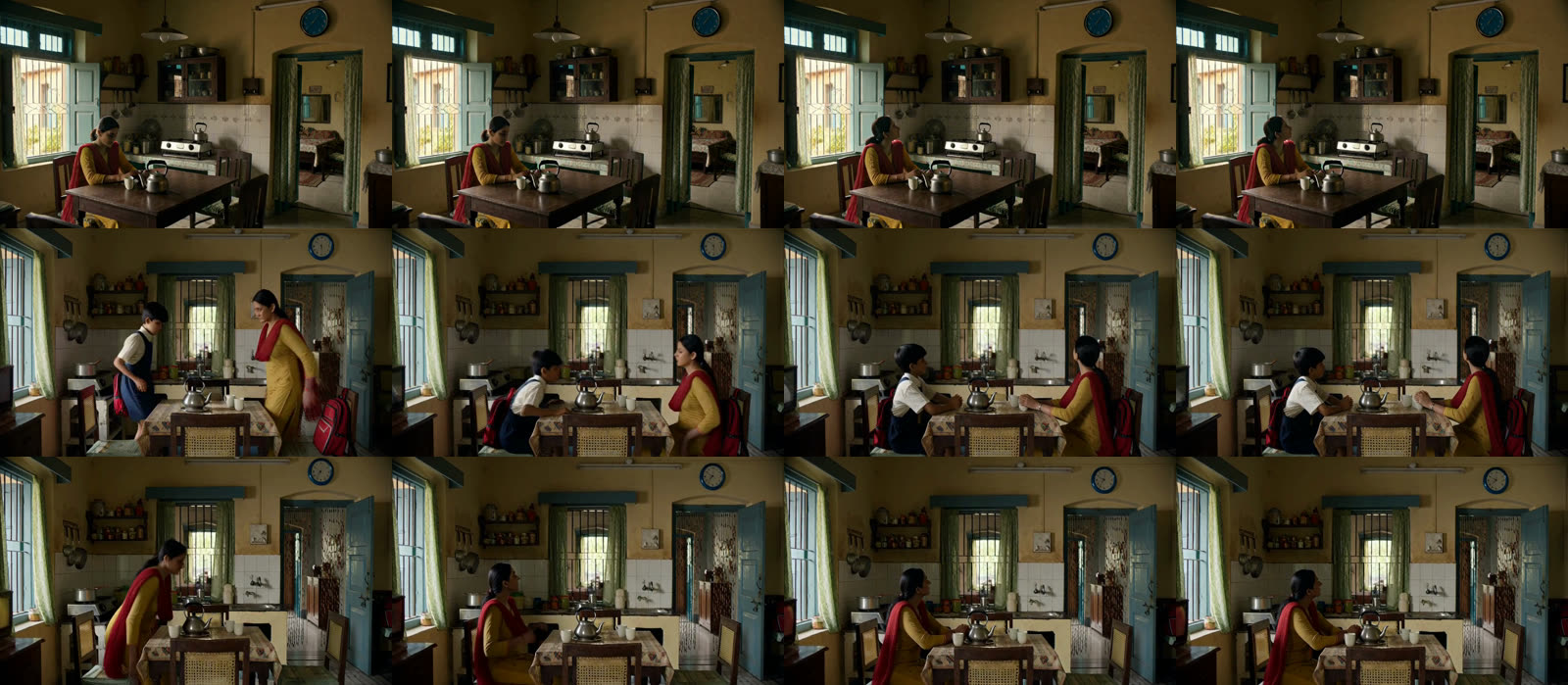
| 5 | Back at the window side, looking across the room as in the first shot: the woman sits alone at the table and looks up at the clock above the empty door. |
The runs
| Run | What it was | Shots drawn | Memory | New scene |
|---|---|---|---|---|
| 0, 0b, 0c | One 90-frame clip drawn by itself, three times | 1 clip | none | – |
| 2 | The control: each shot from its own words, with the room restated in them | 2, 3, 4, 5 | off | – |
| 1 | The memory run | 1, 2, 3, 4, 5 | selected | true |
| D | The same memory with new scene set to false, the first of three framing options we planned to try one at a time | 1, 3, 5 | selected | false |
Option C, the second of the three, ran for about 100 seconds and stopped with an error when the pack joined the clips. Option A was not drawn. Shot 1 has nothing before it to remember, so it is the same file in run 1 and in option D (we checked the two files’ fingerprints), and the no-memory control began at shot 2.
What we counted, and what we did not
Three things, all by code. Seconds a clip: the job’s seconds divided by its number of clips. Peak card memory: the highest of a reading taken every second from the card’s driver. Frame steps: every frame of every clip, decoded at 24 frames a second and scaled to 96 by 56 pixels, and for each frame the average change, on a 0 to 255 scale, from the one before it; we report the largest step in a clip and the clip’s median step. There is no threshold and no pass mark.
We did not count whether a room looks like the same room, or whether two shots look like one film. Those are judgements about a picture, and at Optra the people who make them are the creative lead and his team. A program, ours included, shows the material and counts what can be counted.
The numbers
| Run | Clips | Seconds a clip | Seconds in all | Peak card memory (MB) |
|---|---|---|---|---|
| 0, drawn alone | 1 | 21.3 | 21.3 | 31,700 |
| 0b, drawn alone | 1 | 27.7 | 27.7 | 31,577 |
| 0c, drawn alone, other card idle | 1 | 29.3 | 29.3 | 31,676 |
| 2, no memory | 4 | 72.1 | 288.3 | 31,733 |
| 1, memory, new scene true | 5 | 151.7 | 758.5 | 31,806 |
| D, memory, new scene false | 3 | 38.5 | 115.6 | 31,755 |
The same single clip, drawn alone, took 21.3, 27.7 and 29.3 seconds. The three files are byte for byte the same clip, so the picture did not change between those runs and only the time did; the last of them ran with the machine’s other card idle. Set against that last run, a clip of option D took 1.31 times as long and a clip of run 1 took 5.2 times as long. Set against its own control, run 1 took 2.1 times as long a clip (151.7 seconds against 72.1).
The card holds 32.6 GB. No job’s peak went past 31,806 MB, so every run, with or without memory, used nearly all of it. All told the card drew for 22.3 minutes, including option C’s failed attempt of about 100 seconds; the six finished jobs above add up to 20.7 minutes (1240.7 seconds).
| Run | Frames read | Largest step in any clip | In shot | That clip's median step |
|---|---|---|---|---|
| 0c, alone | 90 | 2.54 | the single clip | 0.86 |
| 2, no memory | 360 | 5.52 | 4 | 1.57 |
| 1, memory, new scene true | 450 | 2.50 | 5 | 0.81 |
| D, memory, new scene false | 270 | 1.61 | 5 | 0.78 |
These are numbers and not a verdict. A large step can be a person walking into the frame as easily as a fault.
The shots, side by side
Each picture shows the same four frames of every clip of that shot: frames 0, 30, 60 and 89 of 90 (0, 1.25, 2.5 and 3.7 seconds). They were fixed before we looked, the same for every clip; nobody picked them. Rows run top to bottom in the order named under each picture.

The same shots as clips
These are the clips the pictures were taken from, side by side at the same size and the same speed (24 frames a second), with each pane named in the picture. The Optra Studio logo sits in the bottom-right corner of every clip.
What the admin said
These are the only judgements in this post.
We showed the admin runs 1 and 2 side by side for shots 2 to 5, run 1 on the left and run 2 on the right. He asked what the left side was and was told it was the memory run. He said: The left side is better.
Then we told the admin that run 1 had taken about twice as long a clip as run 2 (151.7 seconds against 72.1). He said: Twice as long is good, but it delivers the perfect shot.
Last, we showed the admin option D, run 1 and run 2 side by side for shots 1, 3 and 5. He said: Yes, new scene with memory is winning everywhere. So that is the final result of this test.
“New scene with memory” is run 1: the memory on, and new scene set to true. In his verdict, then, run 1 wins everywhere, and that is the final result of this test.
What this does not say
- It is one scene of five shots, drawn once for each option, on one card.
- Another job was drawing on the machine’s other card for part of the time in the first runs. The cause of any slowing there is not proven, so the 5.2 times above is one of several ratios we could have written, and it is the least safe.
- Option D drew three shots and run 1 drew five, so their seconds in all are not like for like; that is why the table gives seconds a clip.
- The no-memory control has no shot 1, because it was drawn from shot 2 on.
- The frame steps are our own simple measure and say nothing about how a clip looks.
- We have not measured longer shots (a 124-frame shot’s peak card memory is unmeasured), other cards, or other scenes.
- The scene, its words and the settings are ours, and the pack is a third party’s open code, used at one pinned version.
Where this stands
Nothing from this test is offered to customers yet. The next measurement is the same memory on the cards that draw our clips, at the length of a whole scene.
Quick Search Our Blogs
Type in keywords and get instant access to related blog posts.