
Measured on 2026-10-20.
Baseline and change. The baseline is The studio's slow moves, left as the studio starts them. Today's default for a new project; the other camera settings are set against it.
The changes set against it:
- Locked off
- Push in and stop on a medium shot
- No camera sentence
In Optra Studio. The test lives here:
- The baseline copy, with the studio's slow moves, in Optra Studio
- The copy with the camera locked off, in Optra Studio
- The copy with a push in to a medium shot, in Optra Studio
- The copy with the old default and no camera sentence, in Optra Studio
These pages open for the people who work on the project. For anyone else they may show a sign-in page, or a note that the page is not theirs to open.
With no camera sentence, the clips held still. Only a sentence that names the move and where it ends made the camera move every time.
What did we want to know?
A producer said every clip our studio makes looks like a slow push-in. We wanted to know where that comes from. Is it the video AI’s own habit, or is it the sentence about the camera that we send with each clip?
Which model did we use?
The video model was LTX 2.5. The table gives its files.
| What ran | |
|---|---|
| Model | Lightricks/LTX-2.5 |
| Version | e8dc69fd26150afbfa20351f6bc9ac384257f9fd |
| Main file | ltx-2.5-22b-distilled-transformer-nvfp4.safetensors |
How did we test it?
We wrote one short film with no speech, so every clip is silent. We made a copy of it for each camera setting. Only the setting differed, apart from the random seed that each copy drew its pictures with.
That gave 24 clips, 6 in each copy. Each clip’s camera was judged by eye first. The grader wrote down the truth before a tool measured how far each clip zoomed in or out.
What did each setting send?
One setting sent no sentence about the camera. One said the camera is locked off and does not move at all. One was the studio’s own start setting, with a different slow move for each shot, such as “slowly pushes in” or “drifts left”. The last said the camera pushes in and stops on a medium shot, with the people still whole.
What did we find?
The table counts the clips whose camera moved, out of 6 in each copy. We counted by eye and by code.
| Camera sentence | Clips | Moved, by eye (clips) | Moved, by code (clips) |
|---|---|---|---|
| No camera sentence | 6 | 0 | 0 |
| Locked off | 6 | 0 | 1 |
| The studio's own start | 6 | 2 | 3 |
| A named move with an end | 6 | 6 | 6 |
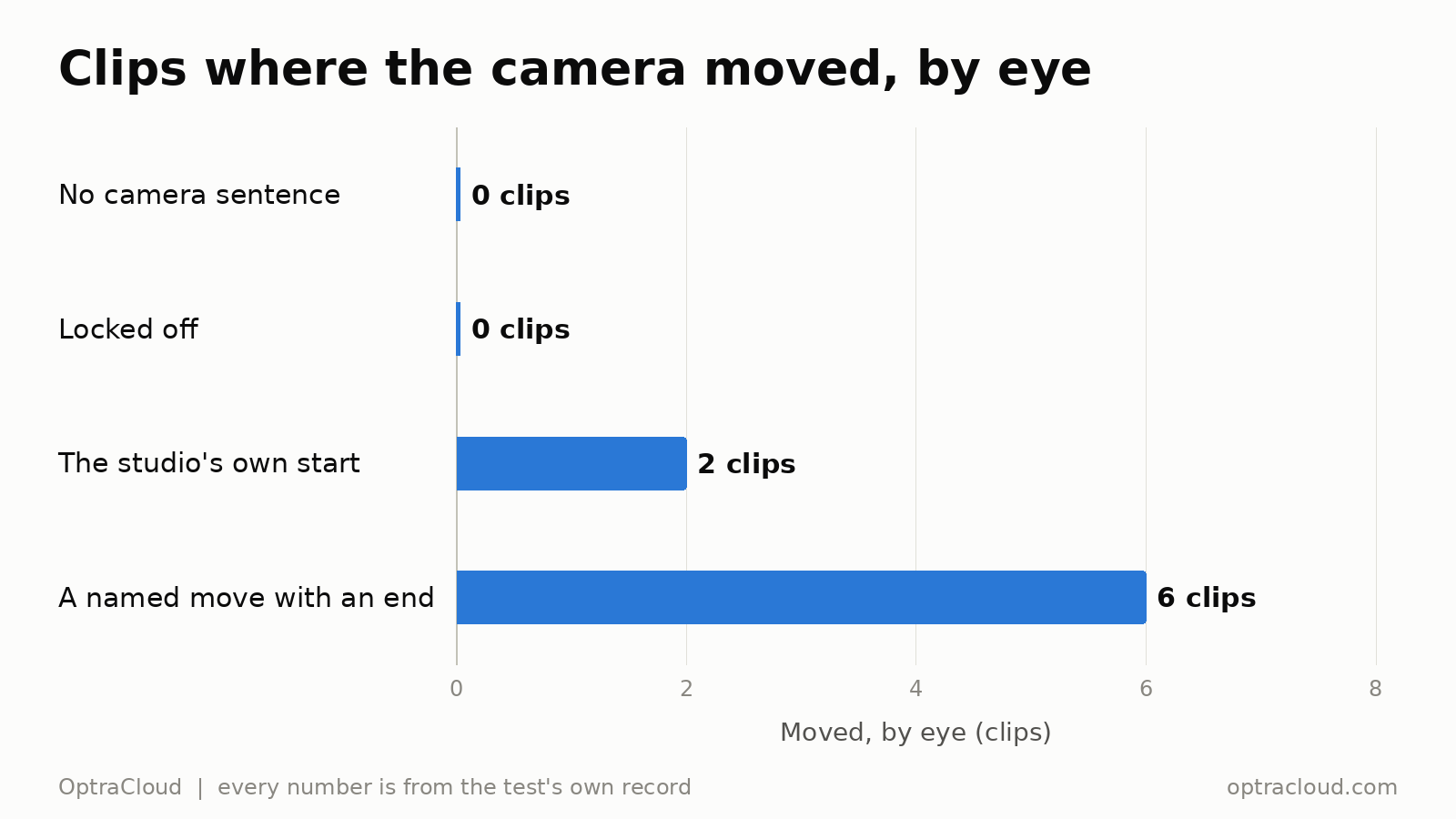
Clips where the camera moved, by eye
To share. Pictures of these numbers, made from the same record and sized for a phone:
Can you see it yourself?
Yes. Below, for each setting, is a sheet of frames. On a sheet, each row is one shot, with its first, middle and last frame. Look at whether the picture gets closer. The clips themselves follow, shot by shot, further down.
First, the copy that sent no camera sentence.
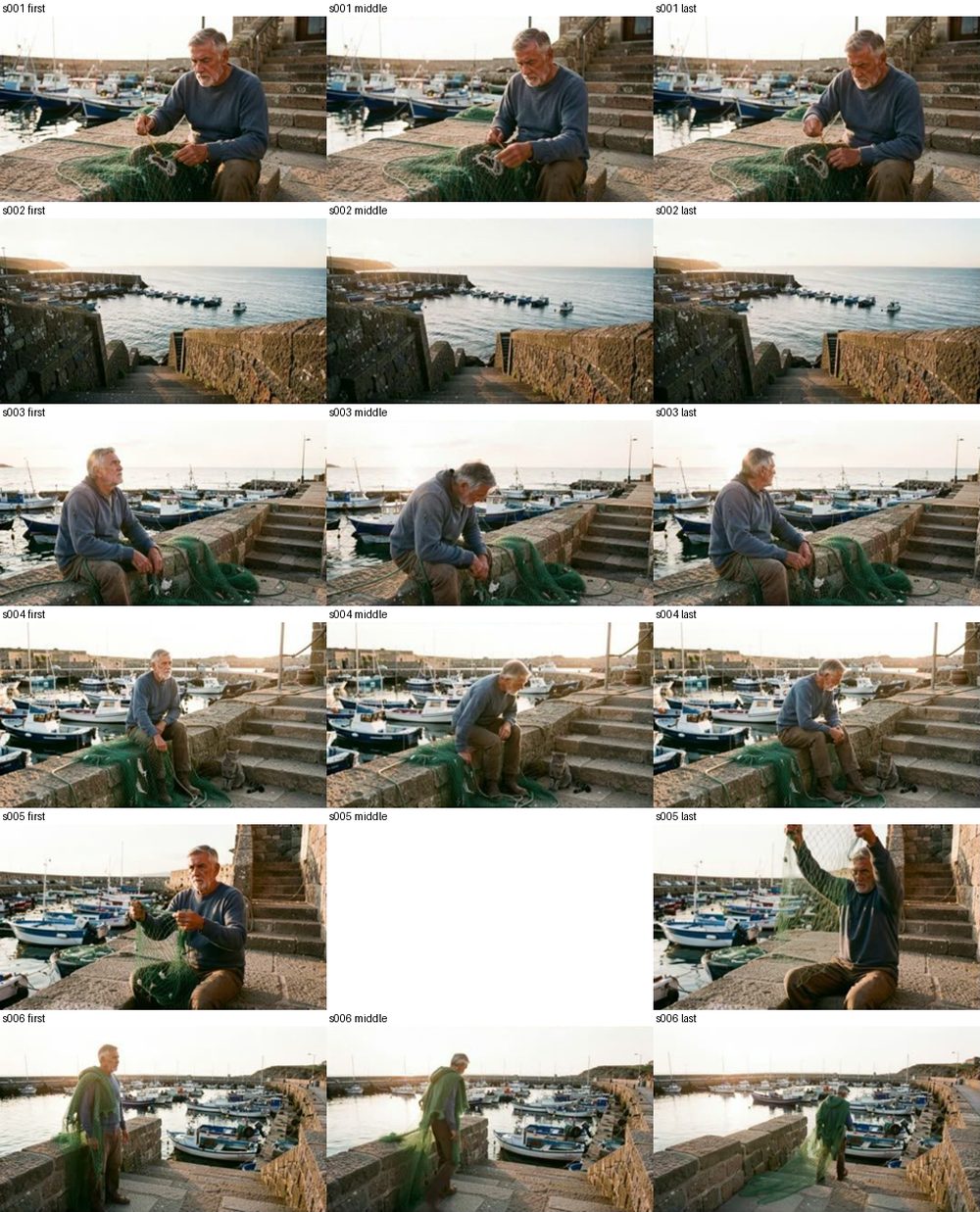
No camera sentence. The camera moved in none of the clips, by eye or by code.
Next, the copy that said the camera is locked off.
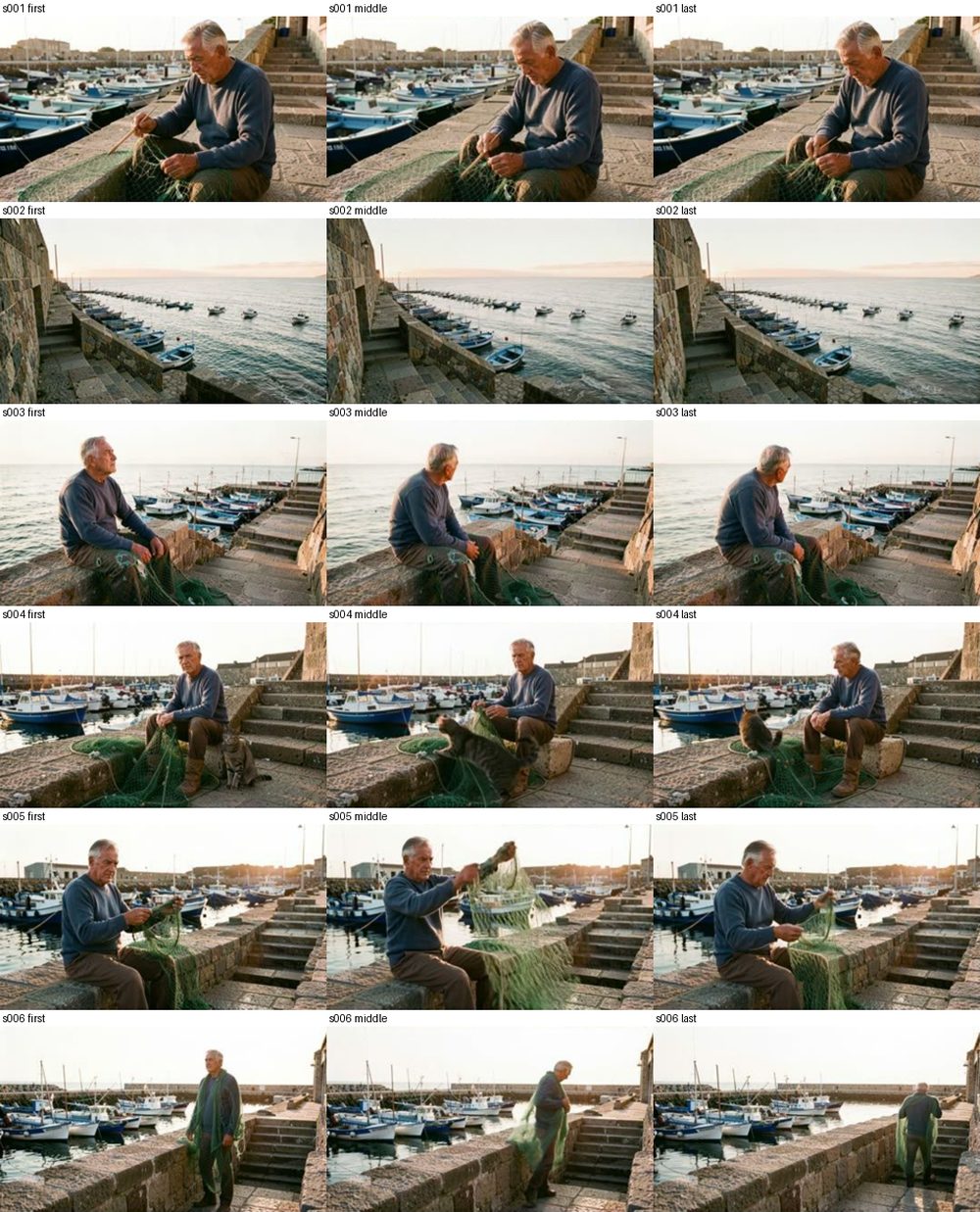
Locked off. By eye the camera moved in none. The code counted one clip as moving, because the people and boats in it moved.
Now the studio’s own start setting, with its slow moves.
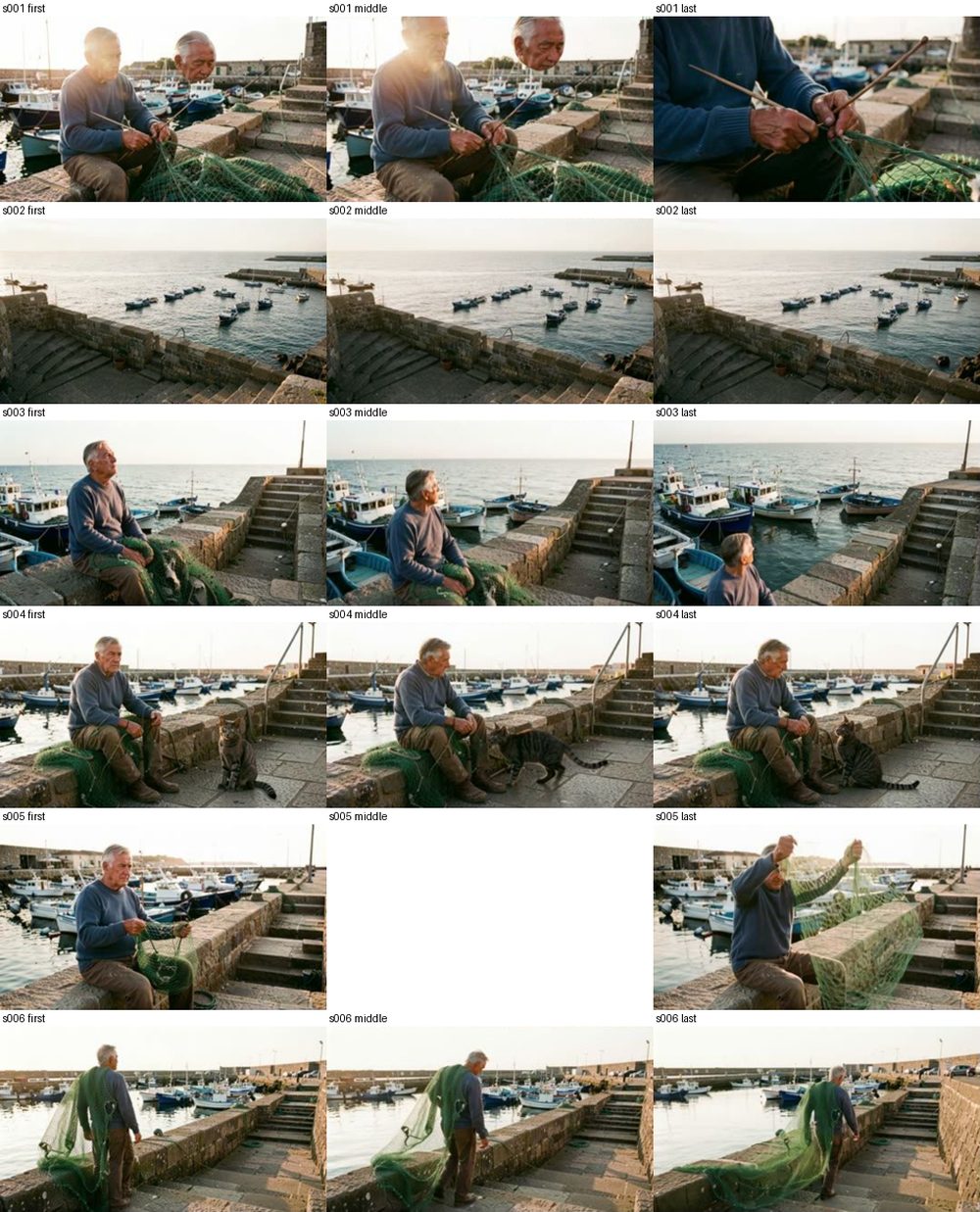
The studio’s slow moves. By eye the camera moved in some of the clips, and not in the rest.
Last, the copy that said to push in and stop on a medium shot. One middle frame, in the fifth shot, was not captured and shows blank.
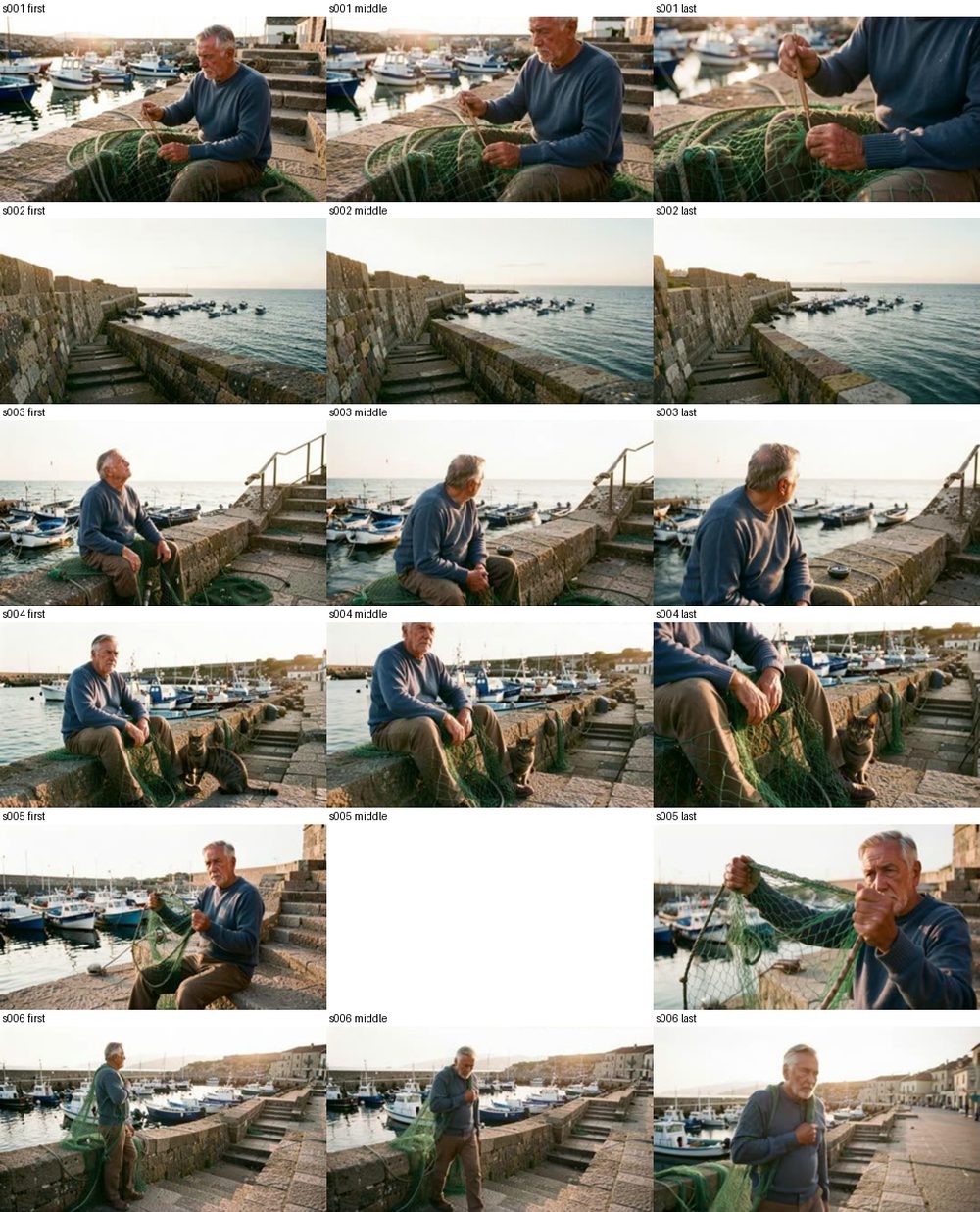
Push in and stop on a medium shot. The camera moved in every clip.
Watch the clips, shot by shot
Here are the clips themselves, shot by shot, with the baseline first. The baseline is the studio’s own slow moves, as the studio starts a new film. Each other setting is set against it.
Press play on any clip. None starts by itself.
The first shot
Baseline: The studio's slow moves, left as the studio starts them
Change: Locked off
Change: Push in and stop on a medium shot
Change: No camera sentence
Look at whether the picture gets closer. Locked off says the camera must not move. Push in says to move in and stop on a medium shot.
The second shot
Baseline: The studio's slow moves, left as the studio starts them
Change: Locked off
Change: Push in and stop on a medium shot
Change: No camera sentence
Look at whether the picture gets closer. Locked off says the camera must not move. Push in says to move in and stop on a medium shot.
The third shot
Baseline: The studio's slow moves, left as the studio starts them
Change: Locked off
Change: Push in and stop on a medium shot
Change: No camera sentence
Look at whether the picture gets closer. Locked off says the camera must not move. Push in says to move in and stop on a medium shot.
The fourth shot
Baseline: The studio's slow moves, left as the studio starts them
Change: Locked off
Change: Push in and stop on a medium shot
Change: No camera sentence
Look at whether the picture gets closer. Locked off says the camera must not move. Push in says to move in and stop on a medium shot.
The fifth shot
Baseline: The studio's slow moves, left as the studio starts them
Change: Locked off
Change: Push in and stop on a medium shot
Change: No camera sentence
Look at whether the picture gets closer. Locked off says the camera must not move. Push in says to move in and stop on a medium shot.
The sixth shot
Baseline: The studio's slow moves, left as the studio starts them
Change: Locked off
Change: Push in and stop on a medium shot
Change: No camera sentence
Look at whether the picture gets closer. Locked off says the camera must not move. Push in says to move in and stop on a medium shot.
What does it say?
With no camera sentence the clip holds still. It was as still as the locked-off setting. So the push-in the producer saw does not come from this model’s own drift. It comes from a sentence.
The studio’s own start setting moved the camera in only some clips. Words like “slowly” were mostly ignored.
A named move with an end landed in every clip, and strongly. The pushes zoomed by between 1.15 and 1.6 times.
Did the code agree with the eye?
Mostly. The code agreed with the eye on 20 of 24 clips.
What did we not measure?
We tested one video model, on silent clips, with one script and one draw per setting. We did not measure how much a repeat would vary. We did not test the other video models, whose own drift may differ.
What does this mean?
If you want a camera move, name the move and say where it ends. Do not say “slowly”. If you want no move, say so, or send nothing.
Quick Search Our Blogs
Type in keywords and get instant access to related blog posts.